8 posts tagged with "compact"

View All Tags

Midnight MCP - AI-assisted development for Compact smart contracts

· 7 min read
Idris Olubisi
Developer Educator

AI coding assistants like Claude, GitHub Copilot, and Cursor have transformed how developers write code. But they have a fundamental limitation: they only know what was in their training data.

Compact, Midnight's smart contract language, isn't in that training data. When you ask an AI assistant to write a Compact contract, it hallucinates. It invents syntax that doesn't exist, references functions that were never defined, and produces code that fails at compile time.

Midnight MCP solves this problem.

What is MCP?​

The Model Context Protocol (MCP) is an open standard that allows AI assistants to access external tools and data sources. Instead of relying solely on training data, an AI assistant with MCP can query live documentation, search codebases, and call APIs.

Midnight MCP is an MCP server purpose-built for Midnight development. It gives AI assistants:

  • Indexed knowledge of 102 Midnight repositories
  • Real compiler validation before showing you code
  • Semantic search across documentation and examples
  • Version-aware syntax references for Compact

When you ask Claude to write a Compact contract, it queries Midnight MCP for the correct syntax, generates the code, validates it against the real compiler, and only shows you working code.

The problem with AI-generated Compact code​

Consider this prompt:

"Write a simple counter contract in Compact"

Without Midnight MCP, an AI assistant might generate:

contract Counter {
state count: Int = 0;

function increment(): Void {
count = count + 1;
}
}

This looks plausible. It's also completely wrong:

  • Compact uses ledger for state, not state.
  • There is no Int type in Compact. It uses Uint<32>, Field, and other specific types.
  • Void doesn't exist. Compact uses [] for the unit type.
  • State mutations require witness functions, not direct assignment.

The AI hallucinated a language that resembles Solidity but isn't Compact. A developer unfamiliar with Compact might spend hours debugging code that was never valid.

Install Midnight MCP​

Midnight MCP requires no API keys and installs in under 60 seconds. Add the appropriate configuration to your AI assistant based on the tool you use.

Claude Desktop​

On macOS, edit ~/Library/Application Support/Claude/claude_desktop_config.json. Add the following configuration to enable Midnight MCP:

{
"mcpServers": {
"midnight": {
"command": "npx",
"args": ["-y", "midnight-mcp@latest"]
}
}
}

Cursor​

Create or edit .cursor/mcp.json in your project root. You can also configure it globally at ~/.cursor/mcp.json on macOS/Linux or %USERPROFILE%\.cursor\mcp.json on Windows. Add the following configuration:

{
"mcpServers": {
"midnight": {
"command": "npx",
"args": ["-y", "midnight-mcp@latest"]
}
}
}

VS Code with GitHub Copilot​

Create or edit .vscode/mcp.json in your project. Add the following configuration to connect Copilot to Midnight MCP:

{
"servers": {
"midnight": {
"command": "npx",
"args": ["-y", "midnight-mcp@latest"]
}
}
}

After adding the configuration, restart your AI assistant. You now have access to 29 Midnight-specific tools.

How Midnight MCP works​

Midnight MCP operates as a local server that connects your AI assistant to Midnight's ecosystem.

Midnight MCP Architecture

When you ask for a Compact contract:

  1. The AI assistant calls midnight-get-latest-syntax to retrieve current Compact syntax.
  2. It generates code using the correct patterns.
  3. It calls midnight-compile-contract to validate against the real compiler.
  4. If compilation fails, it reads the error, fixes the code, and retries.
  5. You receive verified, working code.

This compile-validate-fix loop happens automatically. You never see the broken intermediate versions.

Real compiler integration​

Most code-generation tools rely on pattern matching and hope. Midnight MCP validates code against the actual Compact compiler hosted.

The compiler catches errors that static analysis cannot, including:

  • Type mismatches: Using Field where Uint<64> is expected
  • Sealed field violations: Attempting to access sealed state incorrectly
  • Disclose rule errors: Missing or malformed privacy annotations
  • Unbound identifiers: References to undefined variables or types

When the compiler returns an error, the response includes the exact line number and column:

success: false
message: "Line 12:8 - unbound identifier 'totalSupply'"
errorDetails:
line: 12
column: 8
errorType: error

The AI assistant uses this information to fix the code and try again.

Graceful fallback​

If the hosted compiler is unavailable, Midnight MCP falls back to static analysis. The response indicates which validation method was used:

validationType: "compiler"           # Real compiler validation
validationType: "static-analysis-fallback" # Compiler unavailable

You always receive validation. The tool never fails silently.

Semantic search across 102 repositories​

Today, Midnight MCP indexes every non-archived repository in the Midnight ecosystem:

  • All 88 repositories from midnightntwrk.
  • 14 community and partner repositories, including OpenZeppelin contracts and hackathon winners.

The search is semantic, not keyword-based. For example, a prompt like "find code that handles shielded transactions" returns relevant results even if those exact words don't appear in the code.

Prompt: "How do I implement a token with transfer limits?"

midnight-search-compact returns:
- Token contract examples from midnight-examples
- Rate limiting patterns from community repos
- Relevant documentation sections

29 tools for Midnight development​

Midnight MCP provides 29 tools organized by function.

Search tools​

Use these tools to find code, documentation, and examples across the Midnight ecosystem.

ToolPurpose
midnight-search-compactSearch Compact language code across indexed repos
midnight-search-docsSearch official Midnight documentation
midnight-search-typescriptSearch TypeScript SDK implementations
midnight-fetch-docsFetch live documentation from docs.midnight.network

Analysis tools​

Use these tools to validate, analyze, and review Compact contracts.

ToolPurpose
midnight-compile-contractValidate code against the real Compact compiler
midnight-analyze-contractRun 15 static security checks
midnight-review-contractAI-powered security review
midnight-extract-contract-structureParse contract structure and exports

Generation tools​

Use these tools to create new contracts and documentation.

ToolPurpose
midnight-generate-contractGenerate contracts from natural language descriptions
midnight-document-contractGenerate documentation in Markdown or JSDoc format

Repository tools​

Use these tools to access files and syntax references from Midnight repositories.

ToolPurpose
midnight-get-fileRetrieve files from any indexed Midnight repository
midnight-get-file-at-versionGet file content at a specific version
midnight-compare-syntaxCompare syntax between Compact versions
midnight-get-latest-syntaxCurrent Compact syntax reference
midnight-get-repo-contextEverything needed to start coding (compound tool)
midnight-list-examplesList available example contracts

Version management tools​

Use these tools to manage upgrades and track changes between Compact versions.

ToolPurpose
midnight-upgrade-checkFull upgrade analysis (compound tool)
midnight-check-breaking-changesIdentify breaking changes between versions
midnight-get-migration-guideStep-by-step migration instructions

Resources and prompts​

Beyond tools, Midnight MCP provides nine built-in resources and five interactive prompts.

Resources are always-available references that provide quick access to syntax and examples:

midnight://syntax/latest      Current Compact syntax
midnight://examples/counter Counter contract example
midnight://examples/token Token contract example
midnight://docs/compact Compact language reference

Prompts are templates for common tasks that guide you through specific workflows:

create-compact-contract      Start a new contract
debug-compact-error Fix compilation errors
security-review Full security audit
compare-compact-versions Migration assistance

Architecture​

Midnight MCP is built for reliability:

  • Token efficiency: Outputs YAML by default (20-30% fewer tokens than JSON)
  • Compound tools: Single calls that combine multiple operations
  • Graceful degradation: Falls back to cached data when services are unavailable
  • Progress notifications: Real-time updates during long operations

The codebase is fully tested with 206 tests across 10 test suites.

What's next​

Midnight MCP is open source and actively developed. The roadmap includes:

  • Full ZK circuit output parsing from compiler results.
  • Contract deployment directly from AI chat.
  • TypeScript SDK integration for automatic prover code generation.
  • Local devnet interaction for querying balances and submitting transactions.

Learn more​

Explore the source code and contribute:

→ GitHub repository

→ npm package

→ API documentation

Midnight MCP is a community project. Contributions, issues, and feature requests are welcome.

Compact Deep Dive Part 3 - The On-chain Runtime

· 18 min read
Kevin Millikin
Language Design Manager

This blog post is the third part of the Compact Deep Dive series, which explores how Compact contracts work on the Midnight network. Each article focuses on a different technical topic and can be read on its own, but together they provide a fuller picture of how Compact functions in practice. The first two parts can be found here:

This article looks at the on-chain runtime and how public ledger state updates happen in your DApp.

The Bulletin Board's post Circuit

In the previous parts we used the Bulletin Board example DApp to take a look at contract structure and the implementation of circuits and witnesses. We saw that a contract's exported circuits, such as post from the Bulletin Board example, had an outer "wrapper" that called the actual implementation. We will now take a look at that actual implementation.

Recall the Compact implementation of post:

export circuit post(newMessage: Opaque<"string">): [] {
assert(state == State.VACANT, "Attempted to post to an occupied board");
poster = disclose(publicKey(localSecretKey(), instance as Field as Bytes<32>));
message = disclose(some<Opaque<"string">>(newMessage));
state = State.OCCUPIED;
}

It reads the state field from the contract's public ledger state and asserts that the bulletin board is vacant. Then it calls the witness localSecretKey and uses the return value to derive poster, a commitment to the post's author. Finally, it updates three ledger fields (poster, message, and state).

We compiled the contract with version 0.25.0 of the Compact compiler. Note that this is a different version than the one used in parts one and two of this series. If you use a different version, the implementation details might be different. The implementation of post is in a JavaScript function called _post_0. Every line of this function has something new to learn about the way that Compact works, so we will go line by line through it. The first line of this function corresponds to the first line of the Compact circuit:

_post_0(context, partialProofData, newMessage_0) {
__compactRuntime.assert(
_descriptor_0.fromValue(
Contract._query(
context,
partialProofData,
[
{ dup: { n: 0 } },
{ idx: { cached: false,
pushPath: false,
path: [
{ tag: 'value',
value: { value: _descriptor_9.toValue(0n),
alignment: _descriptor_9.alignment() } }] } },
{ popeq: { cached: false,
result: undefined } }]).value)
===
0,
'Attempted to post to an occupied board');

(Here and below we have reformatted the JavaScript code to fit better on screen. The only change is the indentation.) We will read this line of JavaScript from the inside out. The very first subexpression evaluated in the Compact post circuit is simply state, which is a read of the ledger's state field. This also must be the first thing evaluated in the JavaScript implementation. It is implemented by a call to a compiler-generated static method _query on the Contract class. (We will take a closer look at Contract._query in the next article in this series.)

Recall what is happening when _post_0 is executed in your DApp. The JavaScript code is running locally on a user's machine, with full access to private data from the witnesses it uses. After running the code, the proof server will be used to construct a zero-knowledge (ZK) proof that it did run that code. Then, a transaction will be submitted to the Midnight chain. If the chain verifies the proof, the public ledger state updates specified by the circuit implementation will be performed.

The Midnight node uses the Impact VM, a stack-based virtual machine, to perform public ledger state updates. This machine executes a program in a bytecode language called Impact. We use the same Impact VM to perform updates to a local copy of the public state when we are running your DApp's code locally before submitting a transaction.

The On-Chain Runtime and the Impact VM

The Compact runtime package includes an embedded version of the on-chain runtime. This is the exact same Rust code that is used to implement the Midnight ledger on the Midnight network nodes. For the Compact runtime, it is compiled to WebAssembly and imported as the on-chain runtime package. You can actually use this package directly in your DApp, though much of it is re-exported by the higher-level Compact runtime. Sometimes the Compact runtime provides wrapped versions that have a higher-level API (specifically, using JavaScript representations instead of the ledger's native binary representation).

note

If you use the on-chain runtime package directly in your DApp, it is very important to remember that you are working with a snapshot of the public state. This snapshot was obtained from a Midnight indexer, but while your DApp is running, the chain itself is progressing with other transactions for the same contract. That's part of what it means for a DApp to be "decentralized".

The Impact VM performs public ledger state updates, immediately in your DApp's copy and later (when the transaction is run) on chain. There are a host of reasons to use the exact same VM:

  • Transaction semantics will be identical.
  • It saves engineering work to implement it (and update it and maintain it) once.
  • We will need the Impact program to compute fees for the transaction.
  • The ZK proof will be about this specific Impact program.

The Impact VM is a stack-based machine. Transactions operate on a stack of values, which are encoded in the ledger's binary representation. The transaction always starts with three values on the stack:

  1. First (at the base of the stack), a context object for the transaction.
  2. Second, an effects object collecting actions performed by the transaction.
  3. Third, the contract's public state.

When a transaction completes, these three values are left on the stack in the same order. Values on the VM's stack are immutable. For instance, a state update is accomplished by replacing the state third on the stack with a new one (rather than mutating the existing state value).

The third argument to Contract._query is an array of Ops which are JavaScript representations of Impact VM instructions. Op is a type defined in the on-chain runtime. Transactions will use a binary encoding of these instructions. The array of instructions is a partial Impact program. A whole program will be built up for the transaction, usually with multiple calls to Contract._query.

Ledger Read Operations

The Impact code for the ledger read of the field state from above was:

[
{ dup: { n: 0 } },
{ idx: { cached: false,
pushPath: false,
path: [
{ tag: 'value',
value: { value: _descriptor_9.toValue(0n),
alignment: _descriptor_9.alignment() } }] } },
{ popeq: { cached: false,
result: undefined } }]

The first instruction is dup 0. Instructions will find their inputs on the Impact VM's stack. They can also have operands which are encoded as part of the instruction, such as the zero in dup 0.

The dup N instruction duplicates a value on the stack. The value is found N elements below the top of the stack, so N=0 is the top of the stack. Since this is the first Impact instruction in a post transaction, that will be the public ledger state value.

Before dup 0, the Impact VM's stack had <context effects ledger0> in order from the base to the top of the stack. ledger0 is the initial ledger state of this transaction. After dup 0, it will have <context effects ledger0 ledger0> with two copies of the ledger state on top of the stack. This allows subsequent instructions which consume values to execute without losing the public ledger state.

The second instruction is idx [0]. This instruction indexes into the top value on the stack, extracting a subpart of it. It removes the top value on the stack and replaces it with the extracted subpart. The instruction's operand is a path, a sequence of ledger-encoded values (or a special tag stack). The two different encodings of values, and the descriptors that convert between them, were described in Part 2. Here the instruction uses _descriptor_9:

const _descriptor_9 = new __compactRuntime.CompactTypeUnsignedInteger(255n, 1);

This is an instance of CompactTypeUnsignedInteger from the Compact runtime. It takes a maximum value and a size in bytes. So this is the descriptor for a one byte unsigned integer with a maximum value of 255 (that is, just an unsigned byte). The value 0n is the public ledger state index that the Compact compiler has assigned to the state field.

Impact has four different indexing instructions: idx, idxc (cached), idxp (push path), and idxpc (push path, cached). In the JavaScript representation of instructions, we simply use a pair of boolean properties giving the same four variants. cached is true when the value being accessed has already been accessed (that is, read or written) in the same transaction. It can potentially be used for assigning different fees for cached and uncached accesses. In this case, we have not accessed the state ledger field yet in the transaction. pushPath is a variant that leaves a path in place on the stack for a subsequent write operation.

Before idx [0], the VM's stack had <context effects ledger0 ledger0>. After idx [0], it will have <context effects ledger0 state> (where ledger0 is the entire public ledger state and state is the value of the field with that name).

The third instruction is popeq. This instruction pops the top value from the VM's stack. The Impact VM can run in two different modes. It runs in gathering mode when it runs locally in a DApp. It runs in verifying mode when it executes a contract's public ledger state updates on chain. In gathering mode the popped value is collected (it's used by Contract._query as the result of this ledger read). In verifying mode the VM will ensure that the popped value is equal to the instruction's operand. Here we are running in gathering mode, so the instruction's result operand is the JavaScript undefined value.

Before popeq, the VM's stack had <context effects ledger0 state>. After popeq, it will have <context effects ledger0>.

These three simple VM instructions implement a top-level ledger read.

Assert in Circuits

The post circuit asserts that the bulletin board's state is vacant. This is implemented by the JavaScript code from above (with the Impact instructions elided):

__compactRuntime.assert(
_descriptor_0.fromValue(
Contract._query(
context,
partialProofData,
/* Impact code */).value)
===
0,
'Attempted to post to an occupied board');

Contract._query returns an object with a ledger-encoded result. _descriptor_0 is the descriptor for the the State enumeration type, so _descriptor_0.fromValue is used to convert it to one of the enumeration values VACANT=0 or OCCUPIED=1. This value is compared via JavaScript's strict equality operator to the vacant value (zero). The assertion itself is implemented by a call to the Compact runtime's assert function. If the condition is not true, this will cause the DApp's post transaction to fail without ever reaching the Midnight chain.

Provided that the assertion succeeds when running the DApp locally, the ZK proof will prove that it suceeded. When the proof is verified on chain, the Midnight network will then know that this assertion was true.

The on-chain Impact program will not directly assert this property (that state was State.VACANT). However, when the popeq instruction is run in verifying mode, it will have an operand that indicates the actual value that was popped locally in the DApp. So specifically, if the DApp successfully built a post transaction, that instruction will be popeq 0.

This is subtly different from asserting that the state field was 0. If the assert were removed from the Compact program and the ledger field read remained, then the Impact program run on chain could have either popeq 0 or popeq 1 depending on the actual value that was read by the DApp.

Circuit and Witness Calls

The second line of the Compact post circuit is:

poster = disclose(publicKey(localSecretKey(), instance as Field as Bytes<32>));

This is a write to the ledger's poster field. The right-hand side of the write operation is implemented by the JavaScript code:

const tmp_0 = this._publicKey_0(
this._localSecretKey_0(context, partialProofData),
__compactRuntime.convert_bigint_to_Uint8Array(
32,
_descriptor_1.fromValue(
Contract._query(
context,
partialProofData,
[
{ dup: { n: 0 } },
{ idx: { cached: false,
pushPath: false,
path: [
{ tag: 'value',
value: { value: _descriptor_9.toValue(2n),
alignment: _descriptor_9.alignment() } }] } },
{ popeq: { cached: true,
result: undefined } }]).value)));

The compiler has named this value tmp_0 so it can refer to it later.

The call to the witness localSecretKey has been compiled into a call to the _localSecretKey_0 method of the contract. Recall from Part 2 that this method is a wrapper around the DApp-provided witness implementation. The wrapper performs some type checks on the witness return value, and it records that return value as one of the transaction's private inputs.

The Impact code above implements the read of the ledger's instance field. It is nearly the same as the code for the read of state. The difference is that the Compact compiler has assigned instance to index 2.

The field instance has a Counter ledger type. Reading it in Compact gives a Uint<64>. The ledger representation of this value is converted to the JavaScript representation (bigint) using _descriptor_1:

const _descriptor_1 = new __compactRuntime.CompactTypeUnsignedInteger(18446744073709551615n, 8);

The maximum value here is the maximum unsigned 64-bit integer and the size in bytes is 8.

Type Casts in Compact

The Compact code has a sequence of type casts instance as Field as Bytes<32>. instance is a Counter, reading it from the ledger gives a Compact value with type Uint<64>. This cannot be directly cast to Bytes<32> so the contract uses an intermediate cast to Field.

There are three distinct kinds of type casts in Compact: upcasts, downcasts, and so-called "cross casts". An upcast is from a type to one of its supertypes. Such a cast will change the static type as seen by the compiler, but it will have no effect at runtime. For example, casting from Uint<64> to Field is an upcast. That cast was performed statically (that is, by the compiler) but there is no JavaScript code here to implement it. A downcast is from a type to one of its subtypes. Such a cast will not normally change a value's representation, but it will require a runtime check in the compiler-generated JavaScript code. A cross cast is from a type to an unrelated type (with respect to subtyping). For example, casting a Field to Bytes<32> is a cross cast. These type casts will normally require a representation change. The Compact runtime function convert_bigint_to_Uint8Array performs the representation change in this case.

Then there was a call in Compact to the circuit publicKey. Here we see that the call goes directly to the JavaScript implementation method _publicKey_0, and not to the exported circuit's publicKey wrapper. Recall from Part 2 that the circuit wrapper performed some runtime type checks that we do not need when we call from Compact to Compact (the Compact type system guarantees that these checks aren't needed). More importantly, a circuit's wrapper established a fresh proof data object for a transaction. Since the call to publicKey is part of the post transaction that the DApp is building, it should reuse the existing proof data.

Notice that the disclose operator in Compact doesn't do anything at all at runtime. disclose was necessary because a value computed from the witness localSecretKey was exposed on chain. This is an instruction to the Compact compiler to allow this value to be exposed, but it has no runtime effect.

Ledger Writes

The right-hand side value named tmp_0 in JavaScript should be written to the ledger field poster. The code to do that is in the next line of JavaScript code:

Contract._query(
context,
partialProofData,
[
{ push: { storage: false,
value: __compactRuntime.StateValue.newCell(
{ value: _descriptor_9.toValue(3n),
alignment: _descriptor_9.alignment() }).encode() } },
{ push: { storage: true,
value: __compactRuntime.StateValue.newCell(
{ value: _descriptor_2.toValue(tmp_0),
alignment: _descriptor_2.alignment() }).encode() } },
{ ins: { cached: false, n: 1 } }]);

This is again implemented by a partial Impact program. The Impact code above implements a ledger cell write (in contrast to the read we saw above).

The first instruction is push 3. Impact's push instruction is the dual to the pop instruction. Impact has two different variants: push and pushs. In the JavaScript representation of Impact instructions, they are distinguished by a boolean storage property. storage is false to indicate that the value is kept solely in the Impact VM's memory and will not be written to the ledger.

The second instruction is pushs tmp_0. The instruction is pushs because storage is true (this value will be written to the ledger). The instruction's operand will be the actual Bytes<32> value of tmp_0. As you would expect, _descriptor_2 is the descriptor for Bytes<32>, used to convert the JavaScript value to a ledger value:

const _descriptor_2 = new __compactRuntime.CompactTypeBytes(32);

Before executing these two instructions, the Impact VM's stack had <context effects ledger0>. After executing these two instructions, it will have <context effects ledger0 3 tmp_0>.

The next instruction is ins 1 which inserts into a value on the VM's stack. Impact's ins instruction is the dual to the idx instruction we saw used for ledger reads. The value to insert is on top of the stack (that is, the Bytes<32> value of tmp_0). Underneath that is a path consisting of N elements, where N is the operand of the ins instruction. In this case, the path has length 1, so it is the singleton sequence [3]. This is the index the Compact compiler has assigned to the top-level ledger field poster.

The insert instruction removes the value under the path (namely, the public ledger state) and replaces it with a new copy of that value with the location denoted by the path updated to have the new value.

Before ins 1, the Impact VM's stack had <context effects ledger0 3 tmp_0>. After ins 1, it will have <context effects ledger1> where ledger1 is a new public ledger state representing the write to poster.

The remainder of _post_0 has two more ledger writes and a return of the Compact empty tuple represented by the JavaScript empty array:

const tmp_1 = this._some_0(newMessage_0);
Contract._query(
context,
partialProofData,
[
{ push: { storage: false,
value: __compactRuntime.StateValue.newCell(
{ value: _descriptor_9.toValue(1n),
alignment: _descriptor_9.alignment() }).encode() } },
{ push: { storage: true,
value: __compactRuntime.StateValue.newCell(
{ value: _descriptor_5.toValue(tmp_1),
alignment: _descriptor_5.alignment() }).encode() } },
{ ins: { cached: false, n: 1 } }]);
Contract._query(
context,
partialProofData,
[
{ push: { storage: false,
value: __compactRuntime.StateValue.newCell(
{ value: _descriptor_9.toValue(0n),
alignment: _descriptor_9.alignment() }).encode() } },
{ push: { storage: true,
value: __compactRuntime.StateValue.newCell(
{ value: _descriptor_0.toValue(1),
alignment: _descriptor_0.alignment() }).encode() } },
{ ins: { cached: false, n: 1 } }]);
return [];

Take a look and see if you can see how the code above works.

publicKey

There is one more way that the on-chain runtime is used by Compact. If we take a look at the implementation of the publicKey circuit (the actual implementation, not the wrapper for the exported circuit):

_publicKey_0(sk_0, instance_0) {
return this._persistentHash_0([new Uint8Array([98, 98, 111, 97, 114, 100, 58, 112, 107, 58, 0, 0, 0, 0, 0, 0, 0, 0, 0, 0, 0, 0, 0, 0, 0, 0, 0, 0, 0, 0, 0, 0]),
instance_0,
sk_0]);
}

We see that the padded string literal has been compiled to an explicit Uint8Array. We also see a call to a _persistentHash_0 method, which is the Compact standard library's persistentHash circuit.

The compiler has included a JavaScript implementation of this circuit:

_persistentHash_0(value_0) {
const result_0 = __compactRuntime.persistentHash(_descriptor_7, value_0);
return result_0;
}

This is a call to the Compact runtime's persistentHash function. This function in the Compact runtime is a thin wrapper around the on-chain runtime's own persistentHash. The difference is that the on-chain runtime's version operates on the ledger encoding of values, and the Compact runtime's version uses the descriptor it is passed to do the relevant conversion.

So this is the final capability of the on-chain runtime that we will look at here: it contains implementations of functions like persistentHash that are shared between the DApp and the Midnight node.

In the next article in this series, we will look at how partial Impact programs get collected together and how the compiler-generated JavaScript code produces so-called public inputs and public outputs for the ZK proof that will be generated.

Introduction to the FungibleToken contract on Midnight

· 11 min read
Claude Barde
Developer Relations

Introduction to the FungibleToken contract on Midnight​

Midnight is a privacy-first blockchain designed to bring privacy to decentralized applications. It achieves this through zero-knowledge proofs, programmable data protection, and developer-friendly tools like Compact, a TypeScript-based DSL (Domain-Specific Language) for writing privacy-aware smart contracts.

OpenZeppelin is renowned in the Ethereum ecosystem for its battle-tested smart contract libraries, which have secured trillions in on-chain value. Recently, OpenZeppelin partnered with Midnight to bring comparable tooling to the Compact ecosystem, adapting familiar standards like ERC-20 into privacy-preserving variants.

In the Ethereum world, the ERC-20 standard defines a fungible token with public ledger functions like balanceOf, transfer, approve, etc. It exposes transaction data transparently and lacks built-in privacy. The FungibleToken contract on Midnight draws inspiration from this, but operates within Midnight’s zero-knowledge, selective-disclosure framework.

Fungible tokens are a cornerstone of the blockchain ecosystem, representing digital assets that are interchangeable – much like traditional currency. On various blockchains, these tokens power a wide array of applications, from facilitating seamless transactions and enabling decentralized finance (DeFi) protocols to representing ownership in digital communities and driving the mechanics of in-game economies.

Unlike unique non-fungible tokens (NFTs), the value of one fungible token is identical to another of the same type, making them ideal for use cases requiring divisibility and ease of exchange. Their widespread adoption underscores their importance in building liquid and interconnected digital economies.

In this article, you'll learn about the core features of the contract, including how it manages ledger state variables, its key entry points and circuits for operations like minting, burning, and transferring tokens, and the essential safety and utility functions provided by the Utils and Initializable modules.
By understanding how these components fit together, you’ll gain insight into how the FungibleToken contract balances fungibility, usability, and privacy, providing an essential building block for privacy-preserving DeFi, identity, and tokenized assets on Midnight.


Features of the FungibleToken Contract​

The FungibleToken contract on Midnight utilizes ledger state variables to keep track of balances, allowances, total supply, name, symbol, and decimals. Its functionality is exposed through "circuits" (entry points) like Mint, Burn, Transfer, Approve, TransferFrom, and Initialize, all of which enforce specific zero-knowledge validated transitions and maintain the integrity of the token's state.

Ledger State Variables​

In Compact, the contract defines a structured state storing token balances and allowances—similar to ERC-20. The _balances map keeps track of the users’ token balances and is updated when a transfer occurs. The _allowances map keeps track of the permission given to specific users to spend tokens on behalf of another user:

export ledger _balances: Map<Either<ZswapCoinPublicKey, ContractAddress>, Uint<128>>;
export ledger _allowances: Map<Either<ZswapCoinPublicKey, ContractAddress>, Map<Either<ZswapCoinPublicKey, ContractAddress>, Uint<128>>>;

These values live in the contract's ledger and are updated through transactions sent to the contract.

There are other values in the ledger that are set when the contract is deployed:

export ledger _totalSupply: Uint<128>;
export sealed ledger _name: Opaque<"string">;
export sealed ledger _symbol: Opaque<"string">;
export sealed ledger _decimals: Uint<8>;

These values provide different information about the token managed by the contract, its total supply, its name, its symbol, and its decimal (for display).

Entry Points and Circuits​

In Compact, entry points are defined as circuits (akin to Solidity functions), each modelling a zero-knowledge validated transition. The difference between a circuit entry point and a circuit is that the entry point is callable via a transaction, while the non-entry point circuit is internal. Core circuits include:

  • Mint / Burn (to mint new tokens or burn existing tokens).

  • Transfer: to move tokens between addresses.

  • Approve, TransferFrom: standard ERC-20-style delegation mechanisms.

  • Initialize: via the Initializable module for contract setup.

Each circuit enforces necessary constraints — for example, ensuring sufficient balance, managing allowance decrements, and preserving total supply.

In the next step of the contract lifecycle, the different metadata stored in the ledger of the contract are safely initialized.

Initialization and Metadata**​

The following circuits define the essential setup and retrieval logic for the fungible token metadata and users’ balances, enforcing correct initialization.

  • initialize(name_, symbol_, decimals_)
    One-time setup. Calls Initializable_initialize(), then stores the (disclosed) name, symbol, and decimals. Every other public circuit asserts that the contract is initialized first.

  • name() / symbol() / decimals() / totalSupply()
    Simple getters that first assert initialized, then return the sealed (read only) ledger values.

  • balanceOf(account)
    Safe map lookup that returns 0 if the account isn’t present (to prevent contract failure if the key is absent).


The Transfer Family​

The FungibleToken contract's transfer circuits manage token movement. Key circuits include: transfer for safe user-initiated transfers, _unsafeTransfer for internal token movement, _transfer for administrative transfers, _unsafeUncheckedTransfer for low-level token movement, and _update as the central accounting function for all token operations.

These are split into safe and unsafe variants because sending to contract addresses is currently disallowed (until contract-to-contract interactions are supported).

“Safe” circuits enforce that policy; “unsafe” ones let you bypass it—explicitly marked as dangerous in comments.

  • transfer(to, value) → Boolean
    Safe user-initiated transfer: rejects if to is a ContractAddress. Internally, it just forwards to the unsafe variant after the check.

  • _unsafeTransfer(to, value) → Boolean
    Owner is the caller (left(ownPublicKey())). Moves value using the unchecked internal mover, then returns true.

  • _transfer(from, to, value) → []
    Admin/extension hook that moves tokens from an arbitrary from (not necessarily the caller). Still enforces the “no contracts as to” rule and then uses the same mover underneath.

  • _unsafeUncheckedTransfer(from, to, value) → []
    The low-level mover checks that neither side is the zero/burn address and then delegates the actual accounting to _update.

  • _update(from, to, value) → []
    Central accounting function used by all mint/burn/transfer paths. It’s an internal circuit; it cannot be called via a transaction.

    • If from is zero, the mint circuit is called, it asserts no uint128 overflow, and increases _totalSupply.

    • Else, it deducts from from balance (or reverts on insufficient funds).

    • If to is zero, the burn circuit is called, and it decreases _totalSupply.

    • Else, it adds to to balance.
      This single function guarantees the invariants for every movement of value.

The "transfer family" circuits ensure secure token movement, with "safe" variants disallowing transfers to contract addresses and "unsafe" variants providing lower-level control.
This leads us to explore how allowances function, enabling delegated token spending.


Allowances (approve / spend / transferFrom)​

This section details the allowance mechanisms within the FungibleToken contract, which enable users to delegate spending permissions to other addresses. These circuits facilitate secure, approved transfers on behalf of an owner without directly exposing their private keys.

  • allowance(owner, spender)
    Read the nested _allowances map, returning 0 when keys are missing (no revert).

  • approve(spender, value) → Boolean
    The owner is the caller. Forwards to _approve(owner, spender, value) and returns true.

  • transferFrom(from, to, value) → Boolean
    Safe delegated transfer: enforces the “no contract receiver” rule, then defers to _unsafeTransferFrom.

  • _unsafeTransferFrom(from, to, value) → Boolean
    The spender is the caller. First spends allowance via _spendAllowance(from, spender, value), then moves value using _unsafeUncheckedTransfer. Returns true.

  • _approve(owner, spender, value) → []
    It ensures that both the owner and the spender are valid, creates the owner’s entry in the map if needed, and then writes the allowance. (This mirrors OZ’s ERC-20 pattern of public approve() → internal _approve().)

  • _spendAllowance(owner, spender, value) → []
    It deducts from the allowance unless it’s “infinite.” The implementation treats MAX_UINT128 as infinite: if currentAllowance == MAX, it doesn’t decrement; otherwise, it asserts currentAllowance ≥ value and writes back currentAllowance - value.
    This is important because it supports “no-friction approvals” by letting apps set MAX once.

So, we just covered how allowances let people delegate token spending—basically, giving others permission to move their tokens. Up next, we'll dive into how we create and delete tokens in the contract.


Minting and Burning​

Here's how the FungibleToken contract handles making and destroying tokens. We'll dive into the _mint and _burn functions, showing what they do and how they link up with the main accounting system.

  • _mint(account, value) (safe) → []
    It forbids minting to a contract address (same contract-to-contract restriction), then forwards to _unsafeMint.

  • _unsafeMint(account, value) → []
    It validates the receiver’s address, then calls _update(burnAddress(), account, value)—i.e., mint is modelled as a transfer from the burn/zero address.

  • _burn(account, value) → []
    It validates the sender’s address, then calls _update(account, burnAddress(), value)—i.e., burn is a transfer to the burn/zero address.
    Note: The actual notion of “zero/burn” address is standardized in the Utils module; you can also see helpers like Utils_isKeyOrAddressZero and Utils_isContractAddress.

Because mint and burn also route through _update, total supply is adjusted in exactly one place, and the same safety checks apply across all flows (including the uint128 overflow check on mint).

The mint and burn circuits, by using the _update function, make sure the total supply adjustments are always consistent and that all token flows get the same safety checks.
Now, let's dive into the extra safety and utility stuff that the Utils and Initializable modules bring to the table.


Safety and Utility Glue (from Utils and Initializable)​

This section explores how the Utils and Initializable modules provide essential safeguards and helpful functionalities. These components are vital for ensuring the contract's integrity and enabling secure, well-managed operations.

  • Initialization guards: The Initializable_initialize and Initializable_assertInitialized functions serve as crucial initialization guards within the Initializable contract. These safeguards ensure that a contract's state is properly set up only once and that subsequent operations only proceed if the contract has been correctly initialized. Every circuit that interacts with or modifies the contract's state is designed to invoke the assert function, reinforcing the integrity of the initialization process.

  • Address helpers:

    • Utils_isContractAddress(either) distinguishes user keys from contract addresses.

    • Utils_isKeyOrAddressZero(either) detects the zero/burn address used in _update, _unsafeUncheckedTransfer, etc.
      These support the temporary “no contract receiver” policy and zero-address checks.

The Utils and Initializable modules provide crucial safety and utility functions, ensuring the contract's proper setup and secure operation. Now, let's look at how all these different parts of the FungibleToken contract work together.


How the Pieces Fit Together​

This part shows how everything in the FungibleToken contract is hooked up. Whether it's you sending tokens, someone else doing it for you, or tokens being created or destroyed, it all funnels through a few key functions and ultimately lands in the main _update function to keep track of everything.

  • User transfer:
    transfer → (safe check) → _unsafeTransfer → _unsafeUncheckedTransfer → _update (balances/supply)

  • Delegated transfer:
    transferFrom → (safe check) → _unsafeTransferFrom → _spendAllowance → _unsafeUncheckedTransfer → _update

  • Mint/Burn:
    _mint/_unsafeMint or _burn → _update (with zero/burn address on one side)

This section illustrates how various token operations, from user transfers to minting and burning, ultimately funnel through the central _update function for consistent accounting. Now, let's summarize the key takeaways of the FungibleToken contract on Midnight.


Conclusion​

The FungibleToken Compact contract on Midnight is a privacy-aware reimagining of the ERC-20 standard. It maintains the familiar token interfaces—balances, transfers, approvals—but encodes them as ZK-validated circuits within Compact, enabling private, verifiable execution. The contract’s state and logic are shielded by design, exposing only proofs rather than raw data to the blockchain.

The ERC-20 standard revolutionized the crypto landscape by providing a common framework for creating and managing digital assets, fostering interoperability, and accelerating the growth of decentralized applications. For Midnight, an ERC-20-based token is crucial as it leverages this established standard while integrating ZK-privacy, offering a familiar yet enhanced experience for developers and users seeking both functionality and confidentiality.

This model contrasts sharply with ERC-20 on Ethereum, where all token movements and balances are fully transparent. Here, Midnight allows selective disclosure: users and applications choose what to reveal. The FungibleToken contract thus balances fungibility, usability, and privacy—providing an essential building block for privacy-preserving DeFi, identity, and tokenized assets on Midnight.


Delve deeper into the code, contracts, and comprehensive documentation to enhance your understanding and development skills. These resources are invaluable for building robust and innovative solutions.

From Frustration to Framework: Building on Midnight

· 9 min read
Kaleab Abayneh
Kaleab Abayneh
Guest Contributor

After participating in three hackathons this year, I thought I had a good idea of what to expect. Then came the fourth. It began like the others: an idea, a challenge, a blank terminal screen. But this one took an unexpected turn, one I didn't see coming.

I had recently left my software engineering role to explore zero-knowledge protocols, an area in which I didn’t have much experience. It was a risk, but one I felt I had to take. I chose to pursue this path not only because zero-knowledge cryptography is built on one of the most elegant branches of mathematics, but also I believe privacy on the blockchain or on the internet is fundamental and should never be an afterthought.

One day, my mentor casually mentioned the African Blockchain Championship and suggested I look into the Zero-Knowledge track. That small nudge became a turning point.

That’s when I discovered Midnight!

Meet Midnight: Privacy on the Blockchain

Midnight is a zero-knowledge proof-based privacy chain developed by Input Output, the parent company of Cardano. As a partner chain of Cardano, it aims to bring rational privacy through zero-knowledge technology to the broader ecosystem. They weren’t just building another blockchain—they were laying the foundation for private, decentralized computation. After diving into the documentation and setting up the tools, everything was finally in place. All that remained… was to begin. Only later did I realize: this wasn’t just the start of another hackathon—it was the beginning of something much bigger.

Building on Midnight

Hacking on Midnight was challenging, as building in a testnet environment requires constant learning and adaptation to major changes. Within just a few weeks, significant network updates rendered the existing examples incompatible with the latest SDK versions. As a result, an example had to be cloned and debugged line by line. The example repository was dense, filled with layers of files and directories, and figuring out where to start was a challenge in itself.

Fortunately, Midnight’s smart contract language, Compact, shares a syntax similar to TypeScript, which eased the learning curve. I pushed forward, determined to build something meaningful and make my mark—but in the end, my attempt fell short. With midterm exams approaching and the hackathon submission deadline close by, I had to make a difficult decision. I decided not to submit a project to the African Blockchain Championship hackathon. Still, a quiet sense of regret lingered. I couldn’t help but wonder: what if I had just pushed a little harder?

The Extended Deadline

About a week later, I received an email from the ABC team announcing that the hackathon deadline had been extended. I was thrilled, and I promised myself I’d give it everything this time. It wasn’t long before I was back at it. A few weeks had passed since I’d last touched the project, and during that time, both the network and SDKs had been updated. I gathered my gear, updated my environment, and set out with renewed determination to finally build something solid. I wrote my contract and began debugging, but each change introduced a new layer of complexity. Every update required changes across multiple files. It was frustrating, exhausting, but strangely thrilling. I began thinking of ways to simplify the chaos, to make the process less painful, more intuitive. That’s when I started creating small scripts to streamline the workflow.

Earlier that month, I had joined the Midnight Discord to ask questions. One week, I jumped on a Discord community call, and to my surprise, I learned about an ongoing Midnight tooling hackathon that was happening asynchronously. Right then, it clicked: this was the hackathon I was meant to be part of from the start.

From Personal Tool to Shared Project

What started as a personal tool suddenly took on a bigger purpose. The hackathon provided me with the opportunity to share my work with others and contribute to shaping the future of smart contract development on Midnight. I took a little detour from my original hackathon submission—promising myself I’d return to it—and began refining the tool, aiming not just to build something functional, but something genuinely useful for newcomers to the ecosystem.

Scaffold Midnight & Create Midnight App​

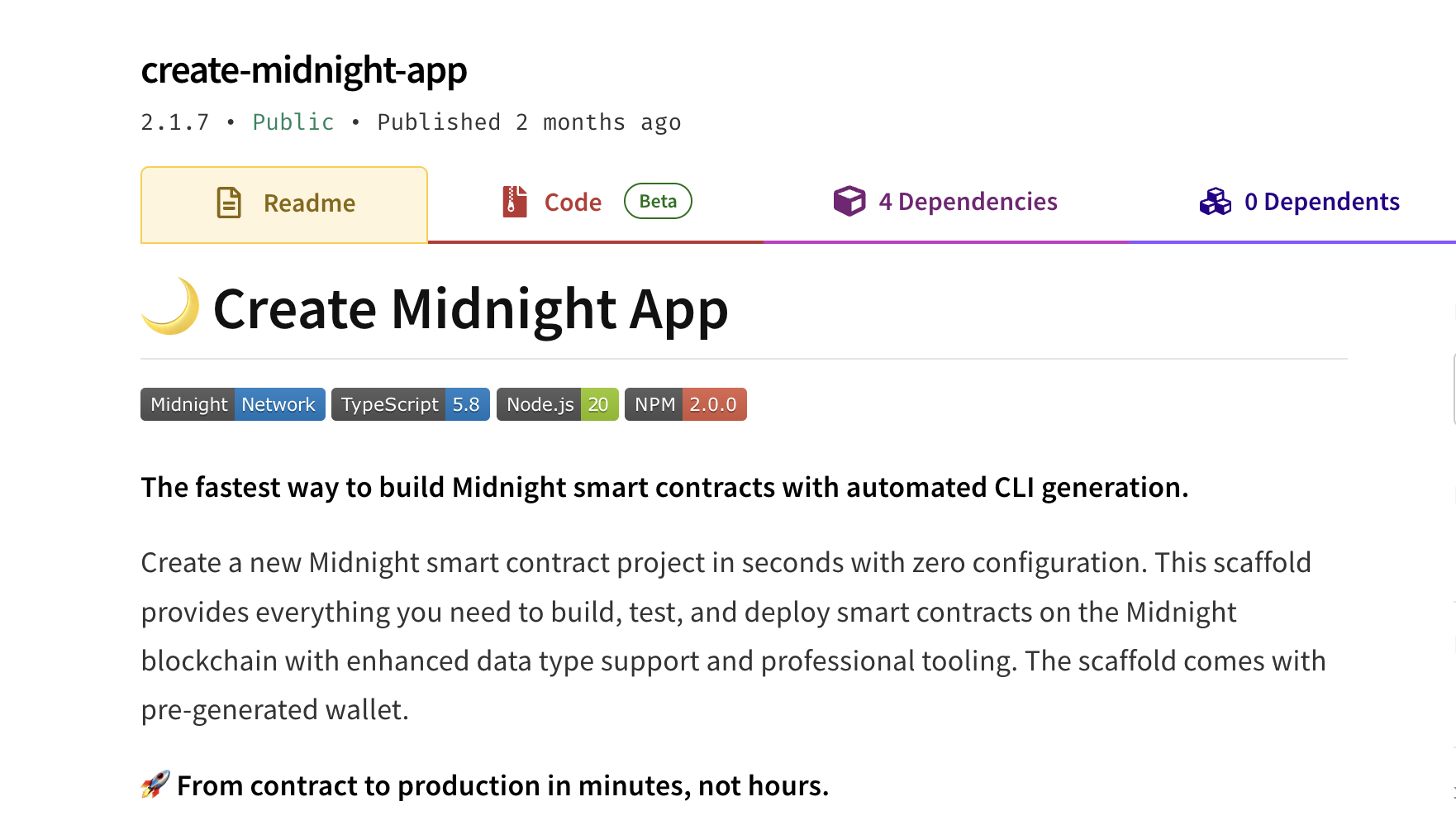
That’s how Scaffold Midnight was born, a cloneable GitHub starter template. But I didn’t stop there. I realized it would be even more useful as an npm library, something developers could install with all dependencies bundled and start using right away. So, I polished the project and released the first version as create-midnight-app. But I didn’t want to stop at solving just one problem. Every issue I fixed revealed another. Through multiple iterations, I kept refining the library. It’s now at version 2.1.7, and I’m actively working to make it compatible with the latest release of Compact. It’s far from perfect, and that’s what makes it exciting. Every day, I wake up with a new idea, a new feature to add, or a better way to improve the developer experience!

Create Midnight App

At its core, create-midnight-app is a scaffolding npm library for Midnight that automates the entire setup process. Developers can focus solely on writing their Compact contracts; the tool takes care of the rest. It handles wallet creation, faucet requests, balance checks, API configuration, CLI updates, and even function and file change imports are updated automatically. It reduces initial application setup time from over half an hour to just a few minutes.

I had several euphoric moments while working on this project, but one instance in particular, stands out.

One feature I was eager to build was a way for developers to request testnet tokens without ever leaving their code editor. The simplest idea was to send a request from the terminal directly to the official Midnight faucet. But there was a catch—the site is protected by Cloudflare Turnstile, which blocks automated requests to prevent spam and abuse. As a hacker, I started looking for a workaround. After some Googling and tips from friends, I tested several paid tools that claimed to bypass CAPTCHA protections. I spent an entire afternoon trying them, but none worked reliably. That’s when I remembered the genesis wallet, whose private key is publicly available. So, I implemented a workaround: instead of calling the faucet, I simulated a faucet transaction by transferring tokens directly from the genesis wallet to the user’s wallet. It’s not a long-term solution, and I know it won’t scale—but for now, it works and helps streamline the developer experience.

Submission and Recognition

I finally submitted my project, and the judges’ reactions were incredibly encouraging—it gave me a renewed sense of inspiration. With that momentum, I turned my focus back to my original hackathon: the African Blockchain Championship. For this challenge, I built an anonymous, censorship-resistant voting platform. In many African countries—across 34 nations—roughly 30–40% of citizens no longer view voting as a fair or trustworthy process (Afrobarometer, 2023). That’s why anonymous voting isn’t just a feature—it’s a necessity. My project, Privote, aims to address this critical issue by leveraging zero-knowledge technology to protect voter identity and integrity.

As the submission deadline approached, I ran into a major hurdle: integrating the wallet into the frontend. I reached out to one of the Developer Relations Engineers, who kindly shared some example code. Unfortunately, I couldn’t get it working in time. With the clock ticking, I had to improvise. I quickly built a custom Chrome extension that enabled wallet interaction—running through the terminal on the backend—just in time for submission. While the current version still has some privacy limitations, the smart contract compiles successfully, and users can interact with it on the Midnight testnet—offering a real glimpse of what decentralized, anonymous voting could look like in practice.

Private Hackathon

The Midnight Community

Even though there aren’t many resources available yet, the Midnight community more than makes up for it. Almost every question asked on Discord gets a response. It’s a space where people genuinely support each other—even during hackathons, when we’re technically competing and have little incentive to help other teams. In fact, during the hackathon, I often found myself answering questions in the Telegram group. I even hosted a workshop at the ABC hackathon on how to use Create Midnight App, helping others get started quickly and navigate the ecosystem more easily.

I also want to take a moment to thank the Midnight team for the recognition they gave me—it truly meant a lot. Beyond placing first in the CLI track, the support and appreciation I received from the community were genuinely heartwarming. I even had the chance to join a community call—not just as a participant this time, but as a speaker—to share my journey and the lessons I’d learned along the way.

Why Now is the Time to Build on Midnight

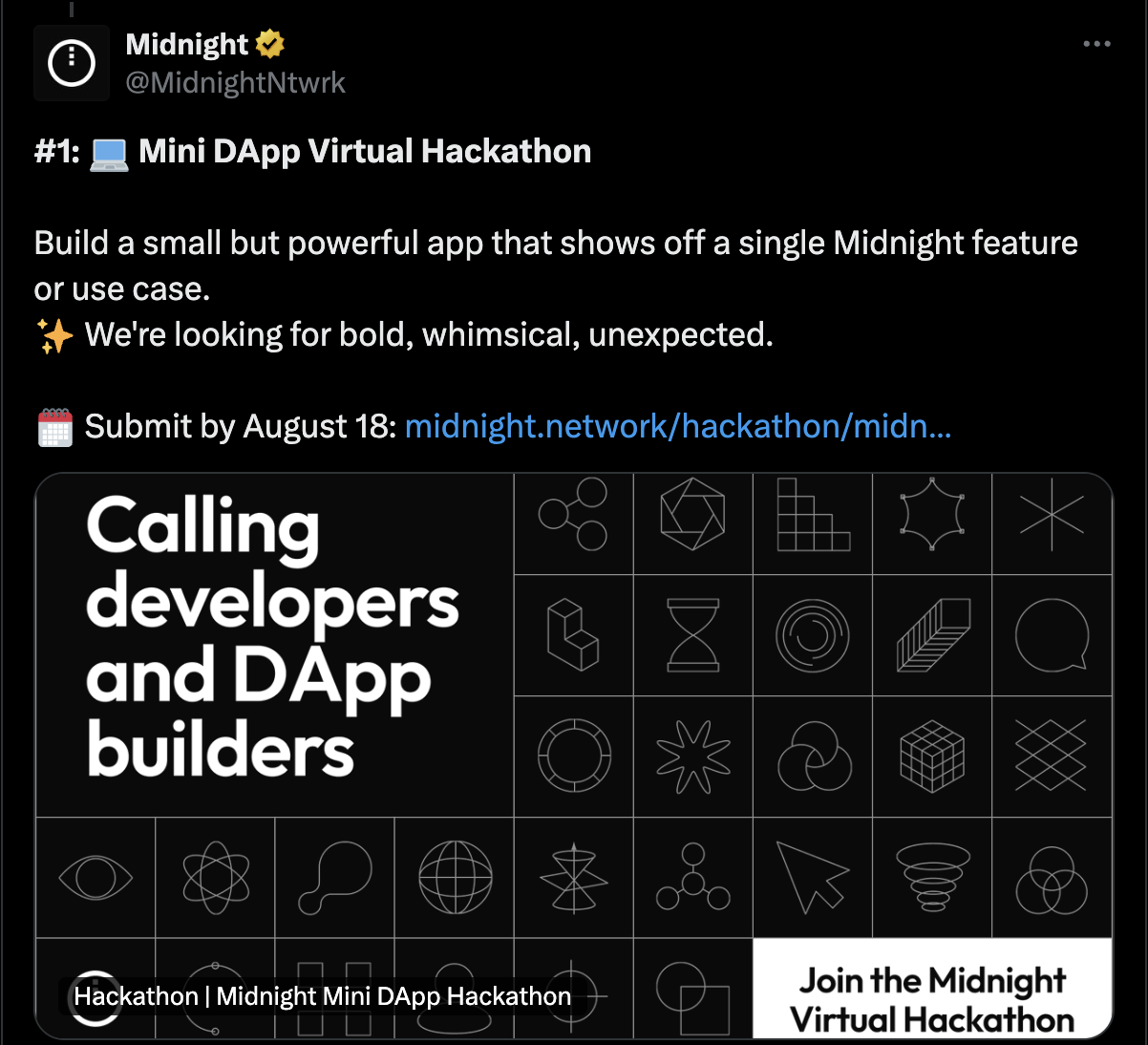
And for you—my readers—this is honestly the best time to get involved in the Midnight ecosystem. There’s almost always a hackathon happening (seriously, it's kind of wild!). Right now, they’re even running a mini DApp hackathon. It’s an excellent opportunity to learn, build, and get your project noticed.

Midnight Dapp Hackathon

As for me, I’m currently building something new for the hackathon. While I enjoy working on projects, I’ve found even more fulfillment in developing infrastructure tools. I have a long-term goal of building a web-based Midnight playground where anyone can start writing Compact code and begin interacting with the Midnight testnet without needing to install anything. I hope to continue collaborating with the Midnight team and growing my skills—especially in zero-knowledge protocols—as I continue this journey.

Introducing the Compact Developer Tools

· 9 min read
The Compact Team
The Compact Team
Compact Language Team

We are proud to announce the launch of the Compact developer tools! Today we are launching compact, a command-line tool that is used for installing the Compact toolchain (e.g., the compiler), keeping it up to date, and invoking the toolchain tools themselves. The developer tools are now the "official" supported way to install and update the toolchain and to invoke other Compact tooling such as the Compact compiler.

To avoid confusion, we will make a careful distinction between the "Compact toolchain" and the "Compact developer tools". The toolchain contains the compiler and will eventually contain other tooling that is specific to a particular version of the Compact language. The developer tools include the updater tools and will eventually support other tools that work consistently across different versions of the language. In the initial release, the Compact developer tools are primarily used to manage the installation of a Compact toolchain, but they will support additional tooling in the future.

There is no new release of the Compact toolchain yet, but you can already start using the new developer tools to install and invoke the current version of the compiler.

The Old Toolchain Installation Method

Before this new release, installing the Compact toolchain was a manual and tedious process:

  1. Developers had to download a ZIP file for a specific compiler version and platform architecture
  2. They then had to extract it to a directory included in their PATH
  3. On macOS, they would have to give permission to run the two different binaries (the compiler and the ZK-key generator).

This process would have to be repeated each time there was a new Compact toolchain release. Keeping multiple versions installed at once was also cumbersome and hard to manage.

The New Toolchain Installation Method

The new way to install the Compact toolchain starts with a one-time installation of the compact command-line tool. Once installed, the developer tools can update themselves automatically. To install, run the following command:

curl --proto '=https' --tlsv1.2 -LsSf https://github.com/midnightntwrk/compact/releases/latest/download/compact-installer.sh | sh

This command will download and run a shell script. It will instruct you how to add the binary directory it uses to your PATH environment variable.

Once you've done this, the compact command line tool is available to use. This tool has a number of useful subcommands that can be invoked. For instance, to update the toolchain to the latest version, you will run the command:

compact update

The output will look something like this (on an Apple Silicon macOS machine, for instance):

compact: aarch64-darwin -- 0.24.0 -- installed
compact: aarch64-darwin -- 0.24.0 -- default.

This subcommand will switch to the latest version of the toolchain available for your architecture. As of today, this is version 0.24.0 which is reported by the tool. The compact tool will download the toolchain artifacts if necessary (you will see a progress meter while it downloads). If you have already downloaded the artifacts, the tool will simply switch the default version to be the latest version.

When there is a new Compact toolchain release, such as 0.25.0, you will use the same subcommand as above to update to that new version.

You can check if there is a new version available using the check subcommand like this:

compact check

If there is a new version available, you will see something like:

compact: aarch64-darwin -- Update Available -- 0.24.0
compact: Latest version available: 0.25.0.

This is reporting that you are on version 0.24.0 and that 0.25.0 is available.

note

You will not actually see this output until there is a new version available. Instead, you will see that you are on the latest version:

compact: aarch64-darwin -- Up to date -- 0.24.0

Switching Toolchain Versions

You can also "update" to any other available toolchain, including previous ones. You can list all the versions available with the command:

compact list

The output will look something like this:

compact: available versions

→ 0.24.0 - x86_macos, aarch64_macos, x86_linux
0.23.0 - aarch64_macos, x86_linux
0.22.0 - x86_macos, x86_linux

This is showing the different versions, and which platforms they are available for. The arrow indicates the current default version, 0.24.0 in this case. This default is whichever you have currently set as the default (via compact update).

You can pass the flag --installed (or -i) to compact list to see the versions that are actually downloaded locally:

compact list --installed

The output will probably look like this:

compact: installed versions

→ 0.24.0

The update subcommand can be used with a specific version to switch to that version. For example:

$ compact update 0.23.0
compact: aarch64-darwin -- 0.23.0 -- installed
compact: aarch64-darwin -- 0.23.0 -- default.

$ compact list --installed
compact: installed versions

0.24.0
→ 0.23.0
note

If you are on an Intel x86 macOS computer, you will not be able to update to version 0.23.0 because it was not available for that architecture. You can try the same commands above with version 0.22.0 instead.

You can now switch back to the latest version with compact update or compact update 0.24.0. This time, nothing will be downloaded because that version is already installed locally.

Invoking the Compiler

In addition to keeping the toolchain updated, the compact tool will also be the official supported way to invoke all the toolchain tools themselves. For the time being, the only such tool is the compiler, but we will be building out more tools in the future. The compiler can be invoked with the compile subcommand:

compact compile <contract file> <output directory>

This will use the current default version of the toolchain (the one indicated by the arrow in compact list).

note

If you are using macOS, you no longer have to explicitly give permission to run the compiler and ZK-key generation binaries.

You can override the default to use a specific (already installed) version by including the version number after a plus (+) sign like:

compact compile +0.23.0 <contract file> <output directory>

Looking ahead, we plan to remove the compactc executable. Going forward, compact compile will become the standard way to invoke the Compact compiler.

Built-in Help

The compact tool and all of its subcommands have detailed help pages provided by the tools themselves. You can see these in two different ways, either using the help subcommand or by using the --help flag.

For the Compact tool itself, you can invoke compact help or compact --help and you will see the exact same help page. This page shows all the subcommands (compile is currently listed at the bottom of the page). It also shows common command line options.

For a specific subcommand, such as update, you can see detailed help either via compact help update or compact update --help. You can use the help pages to find all the subcommands and their options.

note

Because of the way that the tools are currently implemented, you cannot get compiler help via compact help compile. Instead, you will have to use compact compile --help.

Versions

The developer tools are separately versioned from the toolchain (i.e., compiler) itself. This is because the tools are capable of managing multiple versions of the toolchain.

You can see the version of the developer tools with compact --version. That should currently be 0.1.0. You can also see the version of subcommands like compact update --version. Currently, built-in subcommands (that is, ones implemented by the developer tools, not the toolchain) all have the same version as the developer tools.

You can find the version of the toolchain with compact list -i or compact check (though the latter will make an Internet check to see if there is a new version). You can also find it from the compiler via compact compile --version. This should currently be 0.24.0 if you are on the latest version.

As before, the Compact language itself is versioned separately from the toolchain. You can find this from the compiler via compact compile --language-version.

Keeping the Developer Tools Up to Date

Once they are installed, the developer tools are capable of keeping themselves up to date. You can check for updates with compact self check, and you can update to the latest version of the tool with compact self update.

We have not provided a way to go back to a previous version of the developer tools themselves, because you generally won't need to do that. You don't necessarily have to update the developer tools themselves all the time, either. You will however want to update the developer tools themselves when we make more developer tools available. For example, a future release will include a Compact formatter available via a compact format subcommand. You will need to update the developer tools themselves to get access to the formatter tool. We will always announce such updates in the release notes for both the toolchain and the developer tools.

How it Works

The tool is currently a simple one, but its architecture is flexible and it will eventually support many more different developer tools. If you look at the help pages, you will see that the tools take a --directory command-line flag which tells them where to find the toolchain. By default this will be the directory .compact in your home directory.

If you look in that directory, you will see two subdirectories: bin and versions. The versions subdirectory contains separate subdirectories for each installed version, which contain the toolchain artifacts for that version. The bin subdirectory represents the default version, which is just a symbolic link to one of the installed versions.

The command line tool is capable of checking for updates and downloading and unzipping toolchain artifacts if necessary. Switching between installed versions just changes the bin symbolic link to point to a different installed toolchain. Invoking the toolchain itself just invokes the corresponding default executables in the bin directory, or for a specific version if necessary.

Compact Deep Dive Part 2 - Circuits and Witnesses

· 12 min read
Kevin Millikin
Language Design Manager

This blog post is part of the Compact Deep Dive series, which explores how Compact contracts work on the Midnight network. Each article focuses on a different technical topic and can be read on its own, but together they provide a fuller picture of how Compact functions in practice. Compact Deep Dive - Part 1 looked at the TypeScript API of the Compact compiler-generated contract implementation. If you haven’t read it yet, we encourage you to start there. This article looks at how circuits and witnesses are actually implemented in JavaScript code generated by the Compact compiler.

In part 1, we used the Bulletin Board tutorial contract as an example. We compiled it with the Compact compiler and started looking at the files generated by the compiler. We used Compact toolchain version 0.24.0. Recall the caveat from part 1 that the generated code is an implementation detail of the platform. We freely change it, so it can be different when different versions of the compiler are used.

Circuits​

We looked at the bulletin board contract’s post circuit. The compiler generated a TypeScript declaration file that includes a declaration for the circuit:

post(context: __compactRuntime.CircuitContext<T>, newMessage_0: string): __compactRuntime.CircuitResults<T, []>;

Recall that the types CircuitContext and CircuitResults came from the Compact runtime used by the compiler.

In the file index.cjs the compiler has generated a JavaScript implementation of this circuit. You will find this in the contract subdirectory of the compiler output directory you gave on the compact command line when compiling the contract’s Compact source code.

The implementation is installed as a property on the circuits object of the contract in class Contract’s constructor. The entirety of the code is here (we will drill down into this in the rest of this section):

this.circuits = {
post: (...args_1) => {
if (args_1.length !== 2)
throw new __compactRuntime.CompactError(`post: expected 2 arguments (as invoked from Typescript), received ${args_1.length}`);
const contextOrig_0 = args_1[0];
const newMessage_0 = args_1[1];
if (!(typeof(contextOrig_0) === 'object' && contextOrig_0.originalState != undefined && contextOrig_0.transactionContext != undefined))
__compactRuntime.type_error('post',
'argument 1 (as invoked from Typescript)',
'bboard.compact line 26 char 1',
'CircuitContext',
contextOrig_0)
const context = { ...contextOrig_0 };
const partialProofData = {
input: {
value: _descriptor_4.toValue(newMessage_0),
alignment: _descriptor_4.alignment()
},
output: undefined,
publicTranscript: [],
privateTranscriptOutputs: []
};
const result_0 = this.#_post_0(context, partialProofData, newMessage_0);
partialProofData.output = { value: [], alignment: [] };
return { result: result_0, context: context, proofData: partialProofData };
},

Runtime Type Checks​

The first part of this implementation is so-called “boilerplate” code that is generated by the compiler for every circuit. Every circuit has essentially the same code, differing only slightly depending on the number and names of the arguments, file names, and source code positions. Let’s focus on that code first:

if (args_1.length !== 2)
throw new __compactRuntime.CompactError(`post: expected 2 arguments (as invoked from Typescript), received ${args_1.length}`);
const contextOrig_0 = args_1[0];
const newMessage_0 = args_1[1];
if (!(typeof(contextOrig_0) === 'object' && contextOrig_0.originalState != undefined && contextOrig_0.transactionContext != undefined))
__compactRuntime.type_error('post',
'argument 1 (as invoked from Typescript)',
'bboard.compact line 26 char 1',
'CircuitContext',
contextOrig_0)
const context = { ...contextOrig_0 };

There are some runtime type checks here. First, we check that the actual number of arguments passed matches the expected number. In this case, that’s two (the second one is the circuit’s parameter newMessage and the first one is the CircuitContext parameter inserted by the compiler). If not, we’ll throw an exception.

This is one way that Compact differs from TypeScript. The JavaScript code produced by the TypeScript compiler does not check argument counts or types at run time because it assumes that the calling code has also passed the TypeScript type checker. Because the correctness of your contracts will depend on it, we do not assume that. Instead, the generated JavaScript code will perform the appropriate checks at run time.

A const binding is used to give the first argument a name based on contextOrig (always) and the second argument is named based on whatever name we used in the Compact source code. The suffixes like _0 added on variable names is the way that the compiler ensures that it always generates unique names. Then we have some runtime type checks that the first argument actually satisfies the interface for CircuitContext defined in the Compact runtime.

Finally, we copy the original CircuitContext and name it context. We do this so that we can mutate the copy without changing the original one that was passed to us.

Proof Data​

The big-picture view of a post transaction is that it runs the JavaScript implementation of the circuit, with full access to the private state provided by its witnesses. Then we ask the proof server to generate a zero-knowledge (ZK) proof that the circuit ran as expected. Specifically, we prove that we know the private data required to produce the observed on-chain behavior—without revealing that private data.

In order to do that, we have to collect some information about running the circuit in the so-called “proof data”. We next initialize that data:

const partialProofData = {
input: {
value: _descriptor_4.toValue(newMessage_0),
alignment: _descriptor_4.alignment()
},
output: undefined,
publicTranscript: [],
privateTranscriptOutputs: []
};

This is a JavaScript value that satisfies the TypeScript interface ProofData from the Compact runtime. To understand this, we need to look inside of the definition. That definition (from the version of the Compact runtime used by the Compact compiler version 0.24.0) is:

interface ProofData {
input: AlignedValue;
output: AlignedValue;
privateTranscriptOutputs: AlignedValue[];
publicTranscript: Op<AlignedValue>[];
}

This is called partialProofData because it will not necessarily contain all the proof data that we need. When we run the JavaScript code for the circuit off chain, some conditional branches will be skipped. In these cases, the proof will require 'dummy' data to fill in for branches that were not taken. We’ll explore that in more detail later in the series.

The initial value is kind of like the boilerplate we saw before. The properties input, output, and publicTranscript have default initial values. The initial value of input depends on the number and types of the parameters to the circuit in Compact:

From the TypeScript declaration of ProofData, we can see that input has type AlignedValue. This is the type alias AlignedValue from the Compact runtime. And from the TypeScript declaration for that we can see that it has a pair of properties, alignment and value.

Descriptors​

To fully understand this, let’s take a look at the Compact runtime TypeScript declaration of AlignedValue:

type AlignedValue = {
alignment: Alignment;
value: Value;
};

We’ll gloss over Alignment, but it’s instructive to see what Value is:

type Value = Uint8Array[];

So an aligned value is an alignment tag of some kind and a value which is an array of Uint8Arrays. This is the ledger’s encoding of Compact values in the on-chain runtime. That’s a different encoding from the JavaScript encoding of the same value.

We have two different representations for the same values. One is native JavaScript objects. The other is a binary encoding, used in the on-chain runtime. To convert between these two representations, we use so-called “descriptors”. They are the JavaScript representation of Compact types. More specifically, they are objects implementing the CompactType interface. They have three methods: toValue to convert from a JavaScript value to an on-chain value, fromValue to convert from an on-chain value to a JavaScript value, and alignment to return the alignment of the on-chain value.

The code for the ProofData’s input (representing the post circuit’s newMessage argument) was:

input: {
value: _descriptor_4.toValue(newMessage_0),
alignment: _descriptor_4.alignment()
},

The compiler generates top-level const bindings in JavaScript for a number of descriptors that it has used in the generated JavaScript code. If we look at _descriptor_4 in index.cjs we see:

const _descriptor_4 = new __compactRuntime.CompactTypeOpaqueString();

It’s an instance of a descriptor for a Compact value of type Opaque<"string">. The Compact runtime defines descriptor classes for all the Compact types, such as CompactTypeOpaqueString.

The JavaScript representation of the Compact type Opaque<"string"> is as a JavaScript string and the ledger representation is as a (tagged) single-element array consisting of the JavaScript string’s UTF-8 encoding. The proof data we will build up while executing the circuit contains ledger representations of values, so we use the descriptor’s toValue method to convert the newMessage parameter to that representation.

Wrapping it Up​

Finally, we have a last little bit of code:

const result_0 = this.#_post_0(context, partialProofData, newMessage_0);
partialProofData.output = { value: [], alignment: [] };
return { result: result_0, context: context, proofData: partialProofData };

This calls a method on the contract named #_post_0, which contains the actual implementation of the post circuit. What we’ve been looking at (the post method) is a mostly boilerplate wrapper around this implementation. The implementation method takes the context and passes along the arguments, along with the proof data object we’ve constructed for it.

Then after it returns, we will set the output property of the proof data. The way that’s set depends on the return type of the Compact circuit. In this case it was the Compact type [], so that’s relatively uninteresting. If you take a look at the takeDown circuit in the same contract, you will see the slightly more interesting:

partialProofData.output = { value: _descriptor_4.toValue(result_0), alignment: _descriptor_4.alignment() };

Remember that _descriptor_4 was the one for the Compact type Opaque<"string">, and the proof data has ledger values. The circuit implementation in JavaScript will return a JavaScript value, so we need to encode it into the ledger’s representation using toValue and alignment.

And finally, we return the result of the circuit invocation. Recall that this was a CircuitResults<T, []> (where T is the contract’s private state type). That interface is in the Compact runtime and it looks like:

interface CircuitResults<T, U> {
context: CircuitContext<T>;
proofData: ProofData;
result: U;
}

We will look more closely into the actual circuit implementation #_post_0 in the next article in this series.

What are Wrappers For?​

Why do we wrap the implementation in this way? There are a couple of reasons.

First, the mostly boilerplate code we have been looking at is used when we call the circuit from JavaScript code in our DApp. So it needs to have the extra runtime checks that we see for safety. But when we call the circuit from another Compact circuit, we do not need these type checks. The Compact type system guarantees that we don’t need extra runtime checks, so we can directly call the implementation function (such as #_post_0).

And second, when we call a Compact circuit from another one, that is considered part of the same transaction that we are constructing. So in that case, we don’t want to construct a fresh ProofData object to pass in, and we don’t want to box up the results in a CircuitResults object. We only need to do that at the outermost circuit call, coming from the DApp’s JavaScript code.

Witnesses​

Let’s take a quick look at the implementation of witnesses. Our contract has one, and we expect it to be passed in when we construct the contract. The constructor for class Contract has some runtime type checking code for that:

constructor(...args_0) {
if (args_0.length !== 1)
throw new __compactRuntime.CompactError(`Contract constructor: expected 1 argument, received ${args_0.length}`);
const witnesses_0 = args_0[0];
if (typeof(witnesses_0) !== 'object')
throw new __compactRuntime.CompactError('first (witnesses) argument to Contract constructor is not an object');
if (typeof(witnesses_0.localSecretKey) !== 'function')
throw new __compactRuntime.CompactError('first (witnesses) argument to Contract constructor does not contain a function-valued field named localSecretKey');
this.witnesses = witnesses_0;

Then, probably more interesting, the witnesses are also wrapped. The contract has a method for each witness, like:

#_localSecretKey_0(context, partialProofData) {
const witnessContext_0 = __compactRuntime.witnessContext(ledger(context.transactionContext.state), context.currentPrivateState, context.transactionContext.address);
const [nextPrivateState_0, result_0] = this.witnesses.localSecretKey(witnessContext_0);
context.currentPrivateState = nextPrivateState_0;
if (!(result_0.buffer instanceof ArrayBuffer && result_0.BYTES_PER_ELEMENT === 1 && result_0.length === 32))
__compactRuntime.type_error('localSecretKey',
'return value',
'bboard.compact line 24 char 1',
'Bytes<32>',
result_0)
partialProofData.privateTranscriptOutputs.push({
value: _descriptor_2.toValue(result_0),
alignment: _descriptor_2.alignment()
});
return result_0;
}

The circuit wrapper post was used when we called the circuit from JavaScript code, and bypassed (by directly calling the implementation #_post_0) when we called it from Compact code. For witnesses, the situation is reversed. You can call your witnesses (like witnesses.localSecretKey) all you want from JavaScript code and we don’t care and won’t even observe it. But if you call them from a Compact circuit, we will need to know about it, so we’ll call a wrapper (like localSecretKey_0).

Your witness implementation expects to have a WitnessContext argument passed to it, so here we’ll construct one to pass in. It contains the ledger, current private state, and the contract’s address. We get the JavaScript representation of the public ledger state using the compiler-generated ledger function that we looked at in part 1 of this series.

Then we actually invoke your witness implementation, getting the result and a new private state. We mutate the context to update the private state (remember, we copied the original context before invoking a circuit implementation so it was safe to mutate the copied context).

Next, we have runtime type checks after the witness returns. This is for the same reason that we check arguments coming in to circuits from JavaScript: we don’t control the witness implementation and we need to make sure that the return value is as expected for the circuit. Compact’s type safety depends on these runtime checks.

Finally, we record the witness’s return value in the proof data's private transcript that we are building while running the outermost Compact circuit call. This is private data and so for the ZK proof we construct the proof server will need to know it (so the proof server can prove that it knows the private data).

In the next article in this series, "Compact Deep Dive Part 3: The On-Chain Runtime", we will take a closer look at the actual implementation of the post circuit from the bulletin board contract and see how it uses the on-chain runtime.

Compact Deep Dive Part 1 - Top-level Contract Structure

· 13 min read
Kevin Millikin
Language Design Manager

This post is part of the Compact Deep Dive series, which explores how Compact contracts work on the Midnight network. Each article focuses on a different technical topic and can be read on its own, but together they provide a fuller picture of how Compact functions in practice. The articles assume that you are familiar with Compact to the level of detail covered in the developer tutorial. Some posts in this series take a deep technical dive into the implementation details of ZK proofs and the Midnight on-chain runtime.

These insights reflect the current architecture, but since they describe low-level mechanics, they may change as the platform evolves.

One caveat to keep in mind is that almost everything here should be considered an implementation detail. That means that the details are not stable, and they can and will change as we see fit.

Overview of the Bulletin Board Contract​

We'll use our old favorite, Bulletin Board as an example. We're compiling this with Compact toolchain version 0.24.0. The Compact language is a moving target as we introduce and change features, so this code may not compile with any Compact toolchain version other than 0.24.0.

note

All the code in this section is Compact code

pragma language_version 0.16;

import CompactStandardLibrary;

export enum State {
VACANT,
OCCUPIED
}

export ledger state: State;

export ledger message: Maybe<Opaque<"string">>;

export ledger instance: Counter;

export ledger poster: Bytes<32>;

constructor() {
state = State.VACANT;
message = none<Opaque<"string">>();
instance.increment(1);
}

witness localSecretKey(): Bytes<32>;

export circuit post(newMessage: Opaque<"string">): [] {
assert(state == State.VACANT, "Attempted to post to an occupied board");
poster = disclose(publicKey(localSecretKey(), instance as Field as Bytes<32>));
message = disclose(some<Opaque<"string">>(newMessage));
state = State.OCCUPIED;
}

export circuit takeDown(): Opaque<"string"> {
assert(state == State.OCCUPIED, "Attempted to take down post from an empty board");
assert(poster == publicKey(localSecretKey(), instance as Field as Bytes<32>), "Attempted to take down post, but not the current poster");
const formerMsg = message.value;
state = State.VACANT;
instance.increment(1);
message = none<Opaque<"string">>();
return formerMsg;
}

export circuit publicKey(sk: Bytes<32>, instance: Bytes<32>): Bytes<32> {
return persistentHash<Vector<3, Bytes<32>>>([pad(32, "bboard:pk:"), instance, sk]);
}

We’ll focus on the post circuit. First, let’s refresh your memory about the basics of the contract. It declares a Compact enum type for the bulletin board’s state, and it declares some ledger fields. Three of them are mutable ledger cells and one of them is a Counter:

export enum State {
VACANT,
OCCUPIED
}

export ledger state: State;

export ledger message: Maybe<Opaque<"string">>;

export ledger instance: Counter;

export ledger poster: Bytes<32>;

There is a witness that has access to private state. This is a foreign function implemented in JavaScript or TypeScript. It looks up the user’s secret key somehow and returns it. The post circuit makes sure that the bulletin board is in the VACANT state and, if so, uses the witness to get the secret key and updates the three cells in the ledger:

witness localSecretKey(): Bytes<32>;

export circuit post(newMessage: Opaque<"string">): [] {
assert(state == State.VACANT, "Attempted to post to an occupied board");
poster = disclose(publicKey(localSecretKey(), instance as Field as Bytes<32>));
message = disclose(some<Opaque<"string">>(newMessage));
state = State.OCCUPIED;
}

There is also a helper circuit called publicKey, which is used by both the post and takeDown circuits.
Declaring publicKey as exported has two effects:

  • It makes the circuit callable from TypeScript or JavaScript.
  • It makes it a contract entry point, allowing publicKey transactions to be submitted to the Midnight blockchain.
export circuit publicKey(sk: Bytes<32>, instance: Bytes<32>): Bytes<32> {
return persistentHash<Vector<3, Bytes<32>>>([pad(32, "bboard:pk:"), instance, sk]);
}

A Look Under the Hood​

Presuming compact is in your path, you can compile the Bulletin Board contract directly. If the code is in a file named bboard.compact, change to the directory where that file is located. Then run compact compile, passing the source file and an output directory:

$ compact compile bboard.compact bboard-out
Compact version: 0.24.0
Compiling 2 circuits:
circuit "post" (k=14, rows=10070)
circuit "takeDown" (k=14, rows=10087)
Overall progress [====================] 2/2

Let’s take a look at what the compiler has generated:

$ ls bboard-out
compiler contract keys zkir

There are four subdirectories. compiler has some metadata about the contract that will be used by composable contracts, which we can just ignore for now. keys and zkir are related to the ZK proofs which we will talk about in a later article. The compiler has translated the contract code into a JavaScript implementation, which is in the contract subdirectory. We’ll focus on that first.

$ ls bboard-out/contract
index.cjs index.cjs.map index.d.cts

There are three files here. index.cjs is the JavaScript implementation of the contract. (It is JavaScript source code, the .cjs extension means that it uses the CommonJS module system.) There is a source map file index.cjs.map that can be used for debugging. It connects the JavaScript implementation in index.cjs back to the original Compact source code that was in bboard.compact. Finally, there is a TypeScript declaration file index.d.cts for the JavaScript implementation. This allows the JavaScript code in index.cjs to be called from TypeScript (and importantly, type checked by the TypeScript compiler).

We have chosen this strategy (a JavaScript implementation with a TypeScript declaration file, instead of a pure TypeScript implementation) for a couple of reasons. First, it lets us generate runtime checks in the JavaScript code for things that wouldn’t be checked by TypeScript’s type system. And second, we can generate a source map for debugging that maps the implementation back to the Compact source code. The source map you would get from the TypeScript compiler would only connect the TypeScript compiler generated JavaScript code back to Compact compiler generated TypeScript, not all the way back to the original Compact source code.

TypeScript Declaration​

Now, let’s take a first look at the structure of the contract’s implementation by looking inside the TypeScript declaration file index.d.cts. We will walk through this file, though not necessarily in order. Before reading further, we encourage you to compile the code to generate this file and take a look at it yourself.

Remember, this was generated with Compact toolchain version 0.24.0. If you try the same thing with a different version, you might see different implementation details.

The Compact Runtime​

note

All the code in this section is written in TypeScript.

The very first thing you will see is:

import type * as __compactRuntime from '@midnight-ntwrk/compact-runtime';

This imports the Node.js package @midnight-ntwrk/compact-runtime which is an API used by the Compact compiler’s generated JavaScript code. Separating it out like this decouples the runtime from the compiler implementation, and it means that the generated JavaScript code can be smaller. We’ll see later that the Compact runtime is quite complex (it re-exports a large part of the on-chain runtime which is implemented in Rust and compiled to WebAssembly).

You can even import this package in your DApp to have your own access to Compact runtime types and functions if necessary. The API documentation for the Compact runtime is available in the Midnight documentation.

Compact enum Types​

The bulletin board contract declared a Compact enum type for the bulletin board’s state (vacant or occupied). This type was exported (via the export keyword) which makes it available to a DApp’s TypeScript or JavaScript implementation, so there is a declaration in the TypeScript declaration file:

export enum State { VACANT = 0, OCCUPIED = 1 }

If this enum type was not exported in Compact, we would not see this declaration. Then, whenever this type appeared in the contract’s API (like in a circuit parameter or in the ledger) we would instead see the the underlying TypeScript representation type number. (Try it and see! Remove the export keyword for the enum in the Compact contract. Note that if you merely want to look at the generated TypeScript or JavaScript contract code you can skip ZK key generation by passing the command-line flag --skip-zk to the Compact compiler. This will run much faster.)

The Compact Ledger​

In Compact, the contract’s public state is established by ledger declarations. The compiler collects all of these and exposes them to the DApp in the form of a ledger type:

export type Ledger = {
readonly state: State;
readonly message: { is_some: boolean, value: string };
readonly instance: bigint;
readonly poster: Uint8Array;
}

It has read-only properties for all the ledger fields. They are read-only in TypeScript, because updating the ledger actually requires a transaction to be submitted to the chain. A DApp, however, can freely read them from (a snapshot of) the public ledger state.

We mentioned before that State appears in this API because we exported the Compact enum type State. Notice that the Compact standard library type Maybe does not appear in this API. Instead, the ledger field message has the underlying TypeScript type. That’s because we didn’t export the standard library’s Maybe type. We could do that with export { Maybe } at the top level of our Compact contract, and then we would instead see:

export type Maybe<a> = { is_some: boolean; value: a };

export type Ledger = {
readonly state: State;
readonly message: Maybe<string>;
readonly instance: bigint;
readonly poster: Uint8Array;
}

There is also a declaration of a function that gives us (a read-only snapshot of) the public ledger state, returning a TypeScript value of type Ledger as declared above:

export declare function ledger(state: __compactRuntime.StateValue): Ledger;

This function takes a value of the Compact runtime’s type StateValue. We will see in Part 2 of this series how this function is used to pass a Ledger to witnesses.

Compact Circuits​

Our contract had three exported circuits. By exporting them, they are made available to be called by the DApp’s TypeScript or JavaScript code, and they form the contract’s entry points. We can see declarations for them in the TypeScript declaration file, in two different places:

export type ImpureCircuits<T> = {
post(context: __compactRuntime.CircuitContext<T>, newMessage_0: string): __compactRuntime.CircuitResults<T, []>;
takeDown(context: __compactRuntime.CircuitContext<T>): __compactRuntime.CircuitResults<T, string>;
}

export type PureCircuits = {
publicKey(sk_0: Uint8Array, instance_0: Uint8Array): Uint8Array;
}

export type Circuits<T> = {
post(context: __compactRuntime.CircuitContext<T>, newMessage_0: string): __compactRuntime.CircuitResults<T, []>;
takeDown(context: __compactRuntime.CircuitContext<T>): __compactRuntime.CircuitResults<T, string>;
publicKey(context: __compactRuntime.CircuitContext<T>,
sk_0: Uint8Array,
instance_0: Uint8Array): __compactRuntime.CircuitResults<T, Uint8Array>;
}

The post and takeDown circuits are impure. In Compact, this basically means that they access (even if only by reading) the public state and/or they invoke witnesses. They are declared in the type ImpureCircuits<T>. The generic type parameter T here is the type of the contract's private state. The Compact compiler doesn't know what that type is (nor does it need to); it's up to the DApp developer to fill that in.

Recall the Compact signature of the post circuit was circuit post(new_message: Opaque<"string">): []. We can see that the TypeScript API for this circuit is predictably derived from the Compact signature, with a few differences.

First, the circuit takes an extra first argument of type CircuitContext<T>. This is an interface declared in the Compact runtime. It contains an encapsulation of the contract's on-chain and private state, some separate Zswap state, and a representation of what the on-chain context would be if the circuit were actually executing on chain (though note, this JavaScript code is not what's executed on chain).

Second, we can see that the Compact type Opaque<"string"> is represented by the TypeScript type string. One goal of Compact is that the TypeScript representation of Compact types is always predictable.

And third, we can see that the return type (in Compact it was []) is actually CircuitResults<T, []>. This is another interface declared in the Compact runtime. It has the actual return value with TypeScript type [], as well as some proof data required to construct the ZK proof and a new CircuitContext<T> representing the public and private state after running the circuit.

We won’t focus on takeDown here, but you can see that its signature is similarly and predictably derived from the signature of the circuit in Compact.

The helper circuit publicKey is pure. This means that it does not access the public state or invoke witnesses (i.e., it's not impure). It is declared in the type PureCircuits. Pure circuits are ones that can run without an instance of the contract. Specifically, they do not need access to the ledger state and they do not have access to private state. You can see that here, because the extra first CircuitContext argument is missing, and the return value is a bare TypeScript type rather than a CircuitResult. The type PureCircuits is not generic, there is no type parameter T needed to represent the type of the private state.

Finally, these declarations are repeated in the type Circuits<T>. The declarations of post and takeDown are exactly the same as before, but the declaration of publicKey has the signature of an impure circuit. This is so that the DApp can make a publicKey transaction, without having to worry about the details of whether it's pure or not.

There are implementations of these circuits in the compiler-generated JavaScript code for the contract, which we will look at in the next article in this series.

Compact Witnesses​

We had a single witness declaration in our contract, which is also reflected in the contract’s TypeScript API:

export type Witnesses<T> = {
localSecretKey(context: __compactRuntime.WitnessContext<Ledger, T>): [T, Uint8Array];
}

The witness’s signature is also predictably derived from the Compact witness declaration. It has an extra first argument of type WitnessContext<Ledger, T>. This interface is declared in the Compact runtime. It contains a snapshot of the public ledger state, the contract’s private state of type T, and the contract’s address. The witness returns a tuple (a two-element TypeScript array) consisting of a new private state of type T and the Compact return value. The Compact type Bytes<32> is represented by the underlying TypeScript type Uint8Array.

The DApp implementation is responsible for providing a witness with this signature when constructing the contract.

The Contract Type​

Finally, there is a declaration of the contract type:

export declare class Contract<T, W extends Witnesses<T> = Witnesses<T>> {
witnesses: W;
circuits: Circuits<T>;
impureCircuits: ImpureCircuits<T>;
constructor(witnesses: W);
initialState(context: __compactRuntime.ConstructorContext<T>): __compactRuntime.ConstructorResult<T>;
}

export declare const pureCircuits: PureCircuits;

It is parameterized over the private state type and the witness type, and it has witnesses, circuits, impure circuits, a constructor, and an initial state all using the type declarations seen above. The pure circuits are a top-level TypeScript value (rather than a contract property), representing the fact that they do not need an instance of the contract.

The contract itself is implemented by the compiler-generated JavaScript code in index.cjs. In the next article in this series, "Compact Deep Dive – Part 2: Circuits and Witnesses", we’ll begin examining how circuits and witnesses are implemented in the generated code.